
PDF scanner for Android
A PDF scanner app uses your phone's camera instead of a flatbed scanner. AI Scanner finds the page, removes the background and perspective, cleans up shadows and saves one PDF with as many pages as you need.
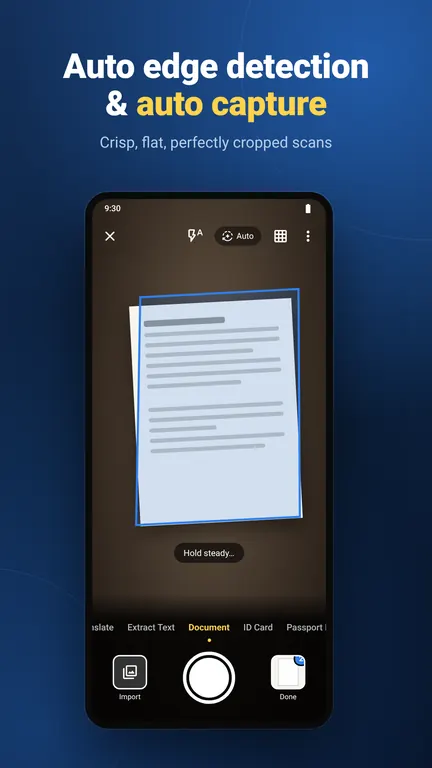
How scanning works
- Point the camera. The four corners are found live. With auto capture on, the photo is taken when the page is steady.
- Check the crop. Drag a corner if needed. The page is straightened so it looks flat, even if you shot it at an angle.
- Pick a filter. Clean document removes shadows and grey paper; black and white is best for text; magic colour keeps stamps and photos vivid.
- Add pages and save. Reorder, rotate or re-crop any page, choose A4 or Letter and a quality preset, then share or save the PDF.
Tips for a sharp scan
- Put the page on a dark, plain surface so the edges stand out.
- Use daylight or turn on the torch, and avoid your own shadow.
- Hold the phone parallel to the page. The blur warning tells you when to retake.
Want more detail? Read how to scan documents on Android.